
Fix OSHA ITA CSV Errors
Before OSHA Rejects Your Upload
Upload your OSHA 300A, 300, or 301 file. Review blockers and warnings in plain English, apply safe formatting fixes, and export a corrected file for OSHA submission.
Not sure if you need to file? Check likely ITA coverage first.
See how validation works
Upload a file and get a full issue report. Every problem is explained in plain English with the row and field that needs attention.
Plain-English issues
Every problem explained in words, not field codes or OSHA letters
Blockers vs warnings
Know what stops your filing vs what you should review
Edit and export
Fix records in the workspace, then export a corrected file
From messy upload to filing-ready export
Upload your file
Drop your OSHA CSV or XLSX. ITA Ready detects the form type and runs validation immediately. No account needed.
Review issues
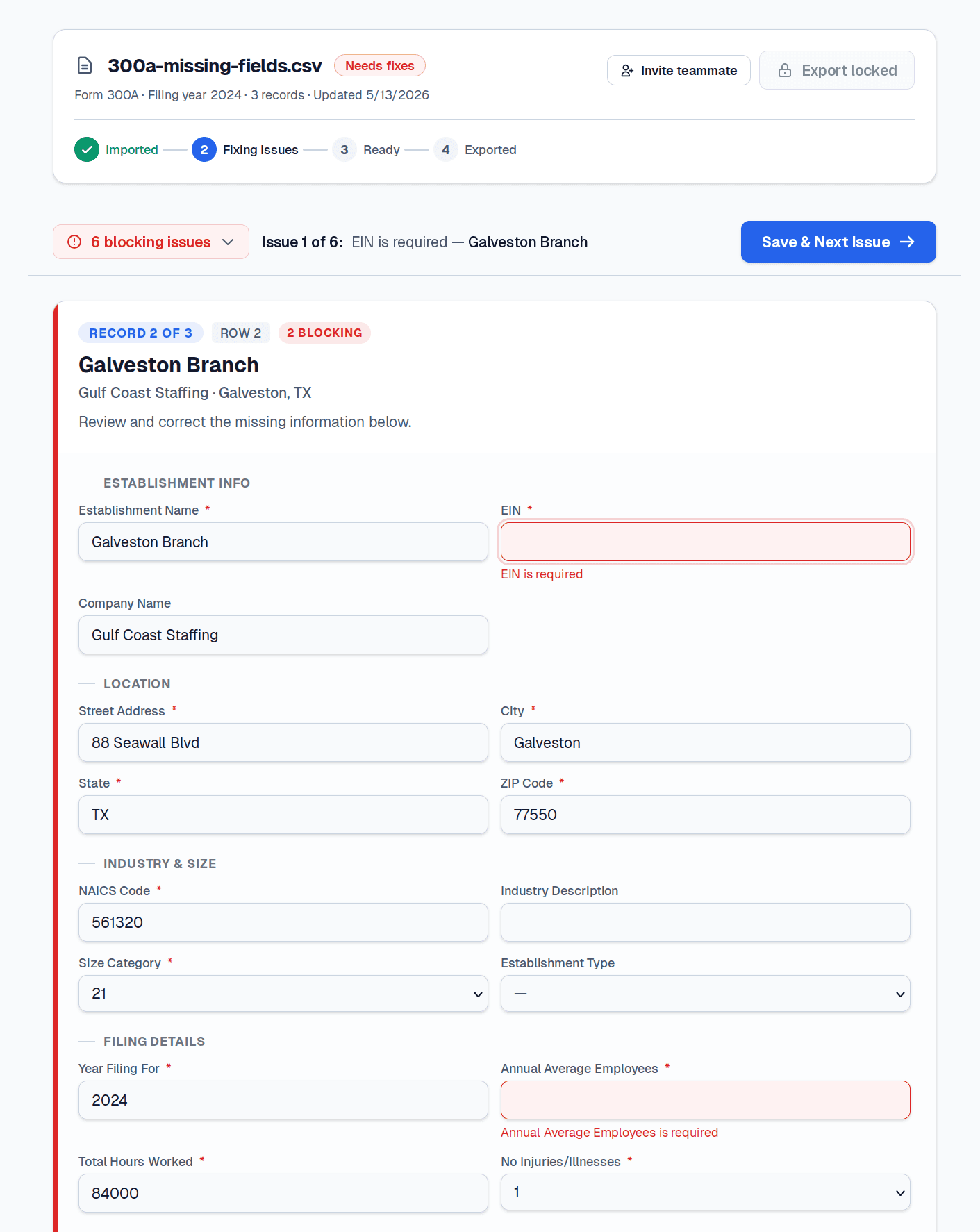
See errors, warnings, and safe auto-fixes in plain English. Every issue links to the specific row and field.
Fix and revalidate
Safe formatting fixes are applied automatically on import. Edit remaining records in the workspace and revalidate as many times as needed.
Export corrected file
Download a corrected CSV ready for OSHA ITA upload. ITA Ready prepares your data — you control the submission.
What ITA Ready checks
Every validation runs automatically when you upload. No configuration needed.
Required fields
Missing EIN, address, NAICS, and all mandatory OSHA form fields.
EIN, ZIP, and NAICS formatting
9-digit EINs, 5- or 9-digit ZIPs, 6-digit NAICS codes.
Date and time formats
Injury dates, death dates, and time fields against OSHA patterns.
Cross-field logic
Days-away counts vs outcomes, death dates vs fatality flags, case totals vs injury flags.
Multi-establishment consistency
Establishment IDs, names, and addresses consistent across rows.
Safe auto-fixes
Leading zeroes, dashes, whitespace, and capitalization corrected automatically on import.
Use the validator for free. Pay when you need the workflow.
- Upload and validate any CSV or XLSX
- See all errors, warnings, and auto-fix previews
- No login required
- Free validation preview
- Everything in Free, plus:
- Save workspace sessions
- Edit records in-browser
- Revalidate after edits
- Export corrected CSV
- Filing history and session reuse
Built for the people who actually file
For consultants
Validate and fix client files without cleaning every spreadsheet by hand. Save sessions, duplicate for next year, and keep filing history across clients.
For multi-establishment employers
One file with multiple locations means more ways to fail formatting. Catch cross-field issues and missing values across every establishment before uploading.
For spreadsheet-based teams
Keep your spreadsheet. ITA Ready validates the export, fixes safe formatting problems, and gives you a corrected file to upload.